
Customize Search Engine
Search Smarter, Explore Deeper
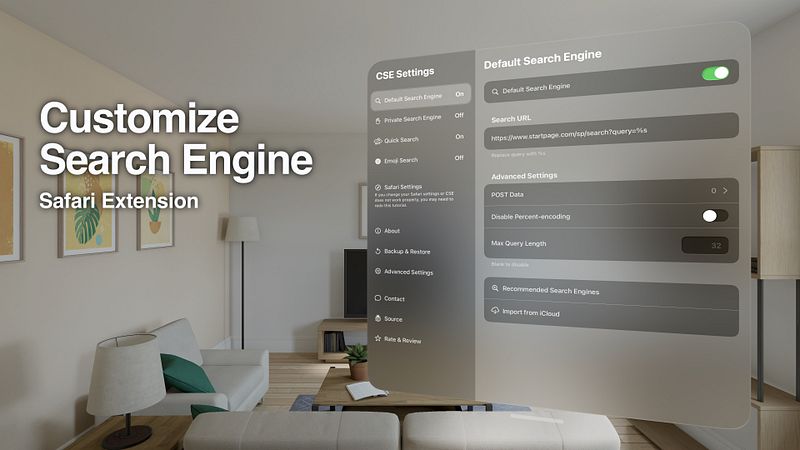
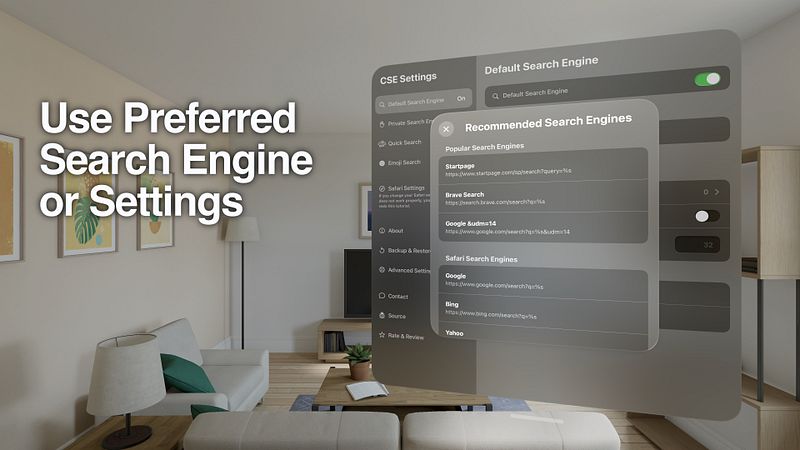
Safari Extension to customize your search engine.
You can use your preferred search engine, change your search engine settings, or hide AI summaries from search results.
--- Customize your Search Engine ---
Change Safari's default search engine.
This is the most basic feature.
--- CSE for Private Browse ---
Switch search engines in Private Browse.
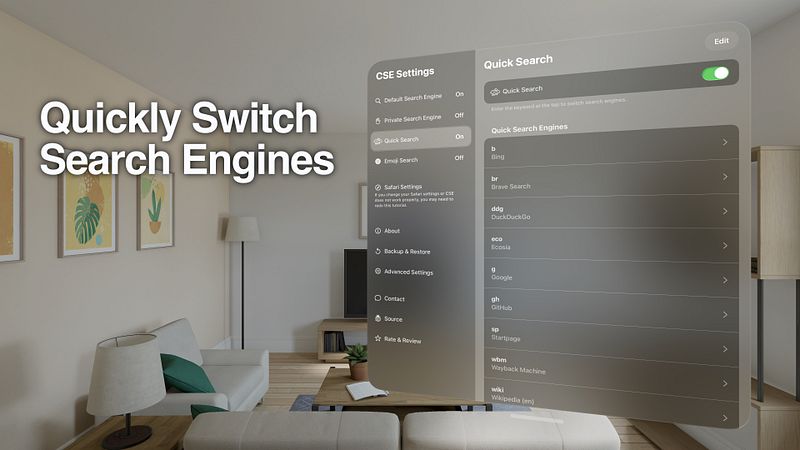
--- Quick Search ---
Enter the keyword at the top to switch search engines.
Example:
- Search "br something" to search in Brave Search
- Search "wiki Safari" to find Safari on Wikipedia
- Search "yt Me at the zoo" to find the oldest videos on YouTube
- Search "wbm example.com" to see past versions of the website
--- Emoji Search ---
If you enter only one emoji, you can search on Emojipedia.org.
--- Switch Search Engines by Shortcuts and Focus ---
You can use a different custom search engine or disable CSE while at work, school, etc.
